

Case Studies

Not the technology we implemented —
the operations that actually changed.

From clarifying the current state through process analysis (As-Is / To-Be), selecting and
implementing systems, to lasting adoption — real projects we’ve walked through with our clients.

Case 01 — Manufacturing

How a sales & inventory system rollout
transformed Company M’s operations

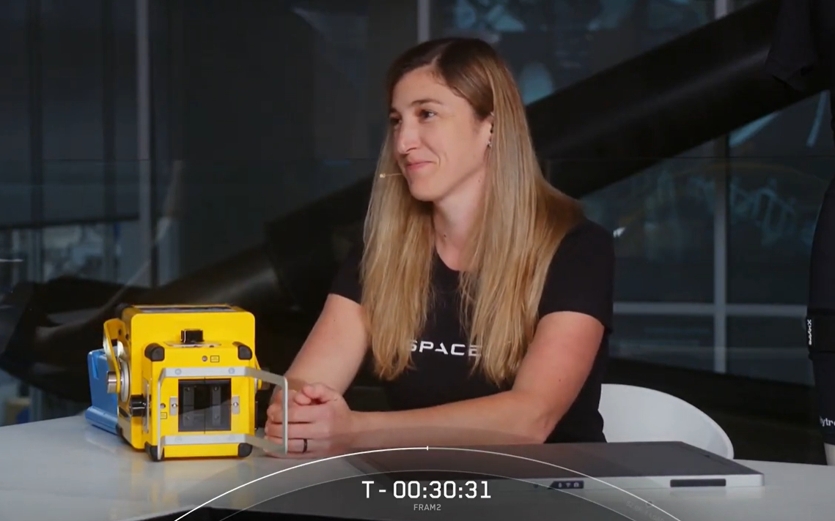
Company M, marking its 100th year in Japan, manufactures, sells and exports portable medical X-ray imaging equipment. Its products include the first X-ray imaging device ever sent into space — carried to the International Space Station by SpaceX.

Industry
Manufacturing (medical devices)
100-year history · export business
Approach
Process analysis
(As-Is / To-Be)
Solution
Salesforce / Fujitsu ERP "GLOVIA OM"
SVF Cloud / PDA integration

Background

Data was fragmented,
living inside spreadsheets.

Company M — Sales & inventory management system rollout

SalesforceGLOVIA OMAs-Is / To-Be

Before

Internal information management relied on Excel-based documentation and approvals, leaving data fragmented. Even as revenue grew steadily, leadership couldn’t see order, production, procurement or inventory data — leaving no basis for decisions about growth.

Transformation

We first organized the current state and ran a process analysis (As-Is / To-Be). We then implemented Salesforce alongside Fujitsu’s ERP system "GLOVIA OM," generating forms through SVF Cloud and automatically reflecting on-site inbound/outbound movement via PDA. The project started from redesigning the workflow itself, not from picking technology.

After

Data is now centrally managed, enabling sales, manufacturing and core operations to coordinate and share information. Inventory management is optimized, and automating report creation and approval has sped up decision-making.

Trust

Why we can deliver.

A Salesforce partnership, expertise backed by certifications,
and implementation capability that extends all the way to forms —
these three together are why we can own everything from proposal to lasting adoption.

Trusted as a Salesforce partner

Certified Salesforce engineers, backed by know-how from a large number of implementation and support engagements. We provide end-to-end support — from optimal design tailored to your industry and operations, through rollout, adoption support and ongoing maintenance.

Proven credentials and technical skill

We employ many engineers holding Salesforce and other certifications. Grounded in certified knowledge and hands-on experience, we deliver consistently high-quality support across system design, development, implementation and operations.

High-quality rollout support powered by SVF

Using SVF Cloud for Salesforce, we handle everything from automated form generation to streamlining business processes — building a forms-and-operations environment tailored to your business for a smooth rollout.

Function

Streamlining the sales process
with Salesforce.

Account Management

Business card data, deal information, activity records and performance data are no longer managed separately — they’re unified around the account in Salesforce. Account-level analysis enables tailored engagement and stronger strategic outcomes.

Operations Support

Supports a range of processes including order, purchasing, sales-order and purchase-order management. Every stage from order to delivery is processed efficiently, with parts management and approvals unified — improving both transparency and efficiency.

Operational Efficiency

Chatter and Gmail/Outlook integration automate internal information-sharing and sales activity. A business-card scanning app lets staff upload contact data to Salesforce instantly.

Mobile App Usage

The SalesforceA admin app enables management tasks even while out of the office. Salesforce Inbox connects CRM data with the inbox, giving sales activity a smart assist.

Comparison

Before and after: operations compared.

How did day-to-day work actually change? Here we compare four processes, before implementation and after.

Inventory updates & information sharing

Before

Inventory updates were done manually, prone to delayed reflection and missed entries, and report generation took considerable time. Checking stock status and communicating shortages also relied on manual effort, with information scattered across Excel, email and phone calls — making it hard to share.

After

With PDAs, inventory data now updates in real time and stays consistently shareable. Report generation is automated too, dramatically reducing manual workload. Greater transparency now enables fast, accurate decisions.

Streamlining inbound/outbound processing

Before

Recording inbound and outbound movement by hand took time and inevitably affected downstream steps. Coordination between staff relied mainly on phone and email, so information lagged and it was hard to track progress in real time.

After

Automatic reflection of inbound/outbound records via PDA sped up work and cut recording errors. Every department can now check the latest information in real time, making handoffs to the next step smoother and strengthening coordination across the workflow.

Improving inquiry response

Before

Confirming the details of an inquiry took time, and responses were often delayed. Information wasn’t standardized, requiring repeated verification — lowering operational efficiency and affecting the quality of customer service.

After

Staff can now check the data they need instantly on a PC or PDA in the field, speeding up inquiry response. With confirmation work standardized and automated, waste has decreased and customer-service quality has improved.

Optimizing end-to-end process coordination

Before

Business processes were fragmented, and heavy manual work carried the risk of entry errors and processing delays. Generating reports and application paperwork also took time, making broader efficiency gains hard to achieve.

After

Processes are now connected through the system, with information updating in real time to smooth out the overall flow. Reduced manual work has improved operational quality and sped up decision-making. With shorter processing times, staff can now focus on higher-value work.

Satisfaction

Midway through a rollout,
satisfaction always dips once.

We don’t hide this. Employee satisfaction is one of the key indicators of whether an IT rollout has actually succeeded.
And even in projects that go smoothly, satisfaction never rises in a straight line.
We believe sharing this curve in advance is essential to making a rollout succeed.

EXPECTATIONRESISTANCEADOPTION
  1. 1At first, people get interested in the new IT solution and picture the ideal future state — satisfaction rises.
  2. 2Once implementation actually begins, the complexity of the system, the work of organizing and digitizing the current state, and the sheer number of detailed decisions place a real burden on staff.
  3. 3The moment implementation finishes and operations go live is the hardest period. Familiar work changes, and a new system has to be learned. If it can’t be used smoothly and work gets interrupted, doubts — even resistance — toward the system itself can emerge.
  4. 4As people gradually get used to it, work becomes more efficient, and employee satisfaction rises again.

Some people’s individual workflow may even gain a step. Even so, looking at the whole process, total effort still goes down.

Facing a similar challenge?

Let’s start by getting the current state organized — together.

From early-stage discussions to re-evaluating an existing system — let’s start with a conversation.